For small businesses, publishers, agencies and bloggers

See every site you host. Alive.

WauHost looks after your websites on your own server. It keeps them updated, backed up and protected, and shows them all on one live map.

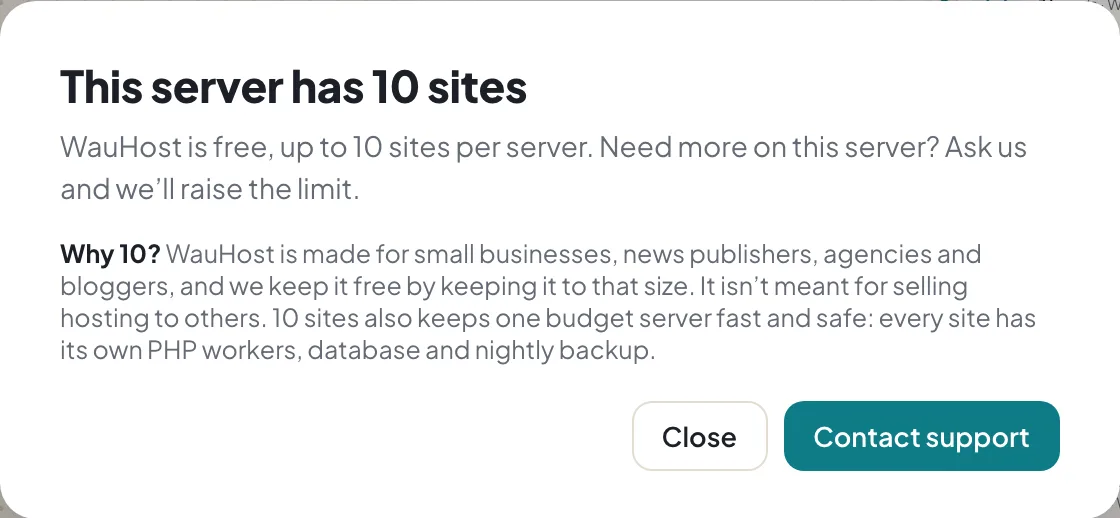
Free up to 10 sites per server.
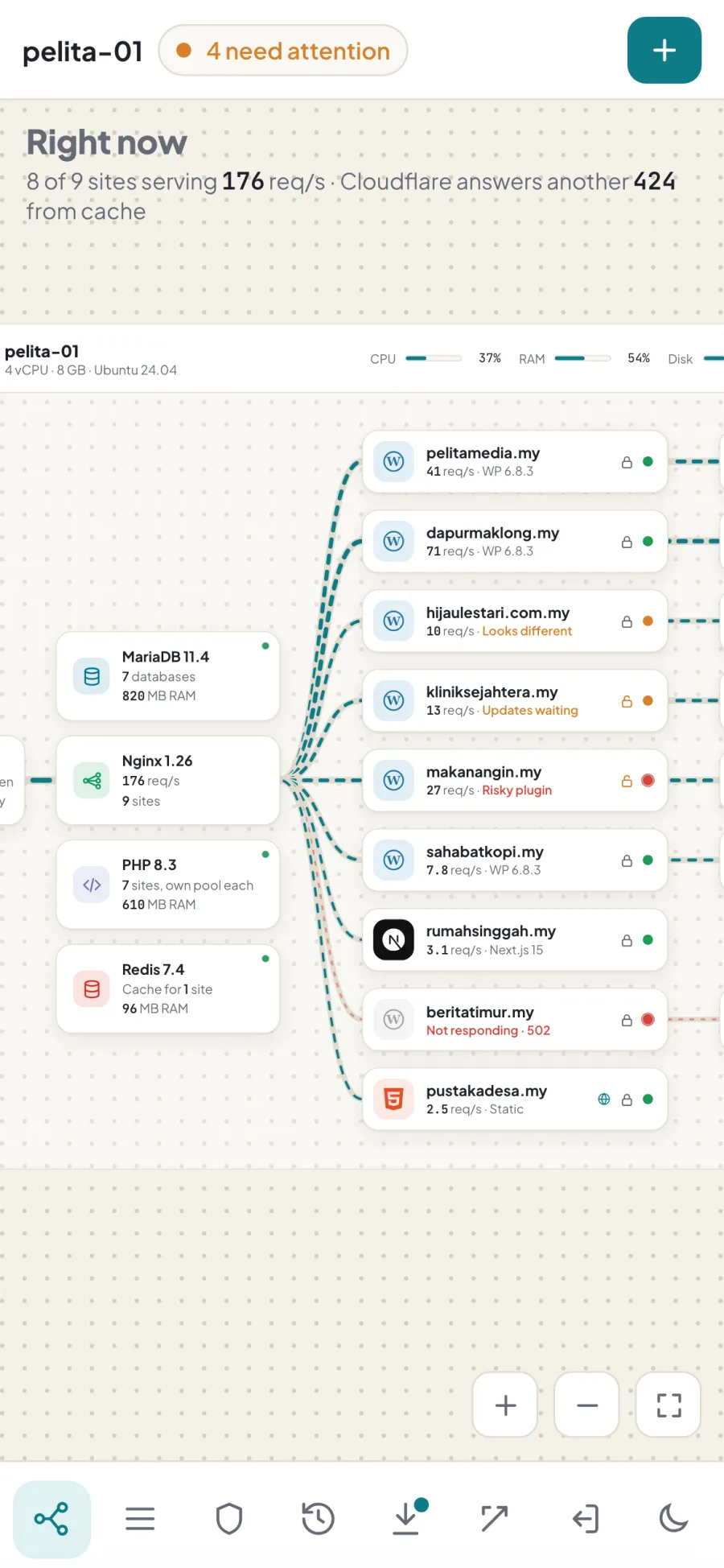
The WauHost map on a phone

Works with

Hosting panels charge per website and expect you to be a server expert. Meanwhile, one forgotten plugin is all it takes to get hacked.

The big picture

How visitors reach your website.

Protected by WauHost
  1. A visitoropens your website
  2. Cloudflareoptional shield: blocks attacks, speeds up pages
  3. Your serveronly lets in what you allow
  4. Your websitekept updated, backed up and watched

Live map

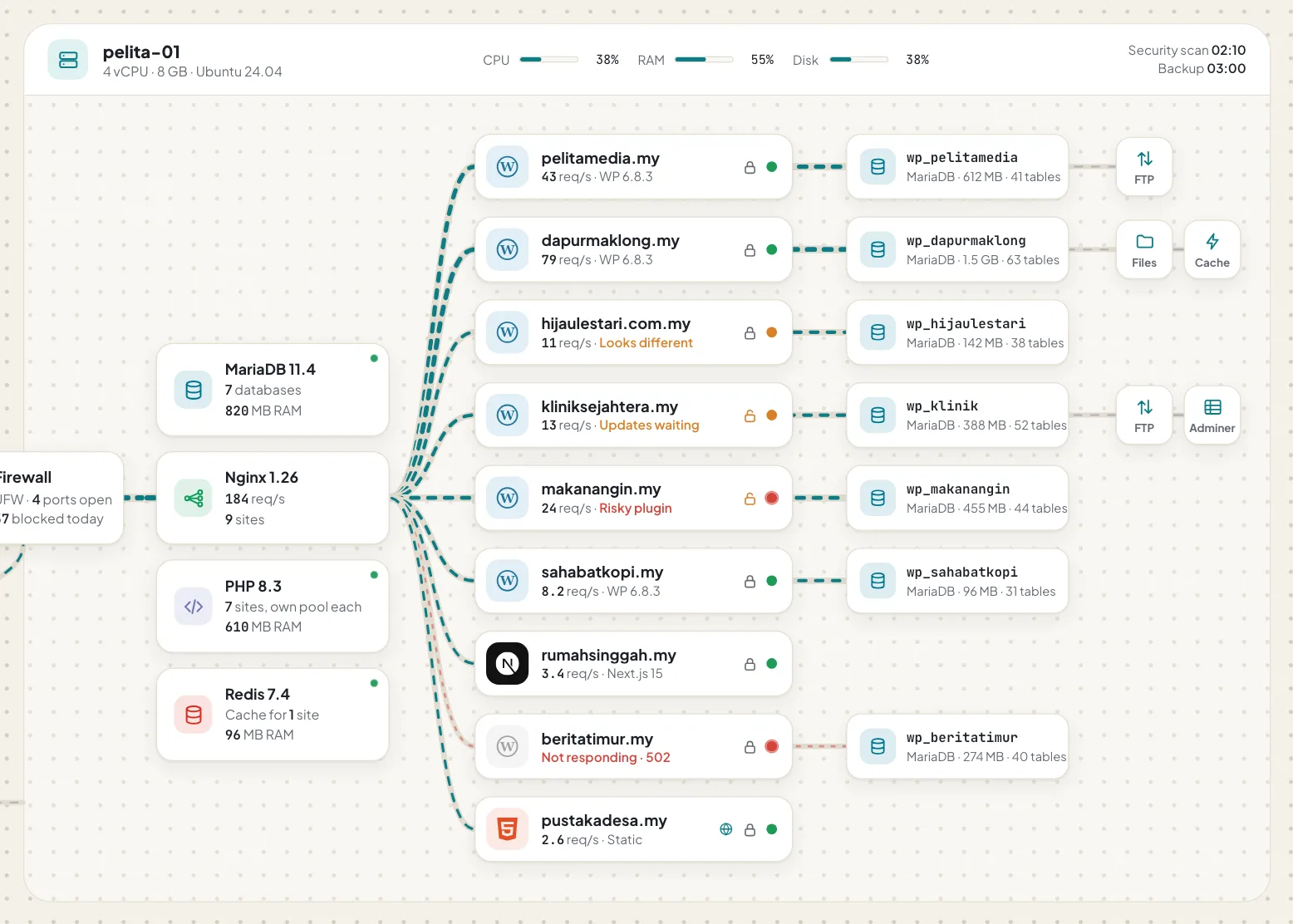
See all your websites on one screen.

Every website on your server, with lines that show visitors arriving right now.

  • Busier websites have faster lines
  • Orange means take a look, red means it needs fixing
  • Click any website to see its details
Close-up of the WauHost map: your server, its websites and their databases

Protection

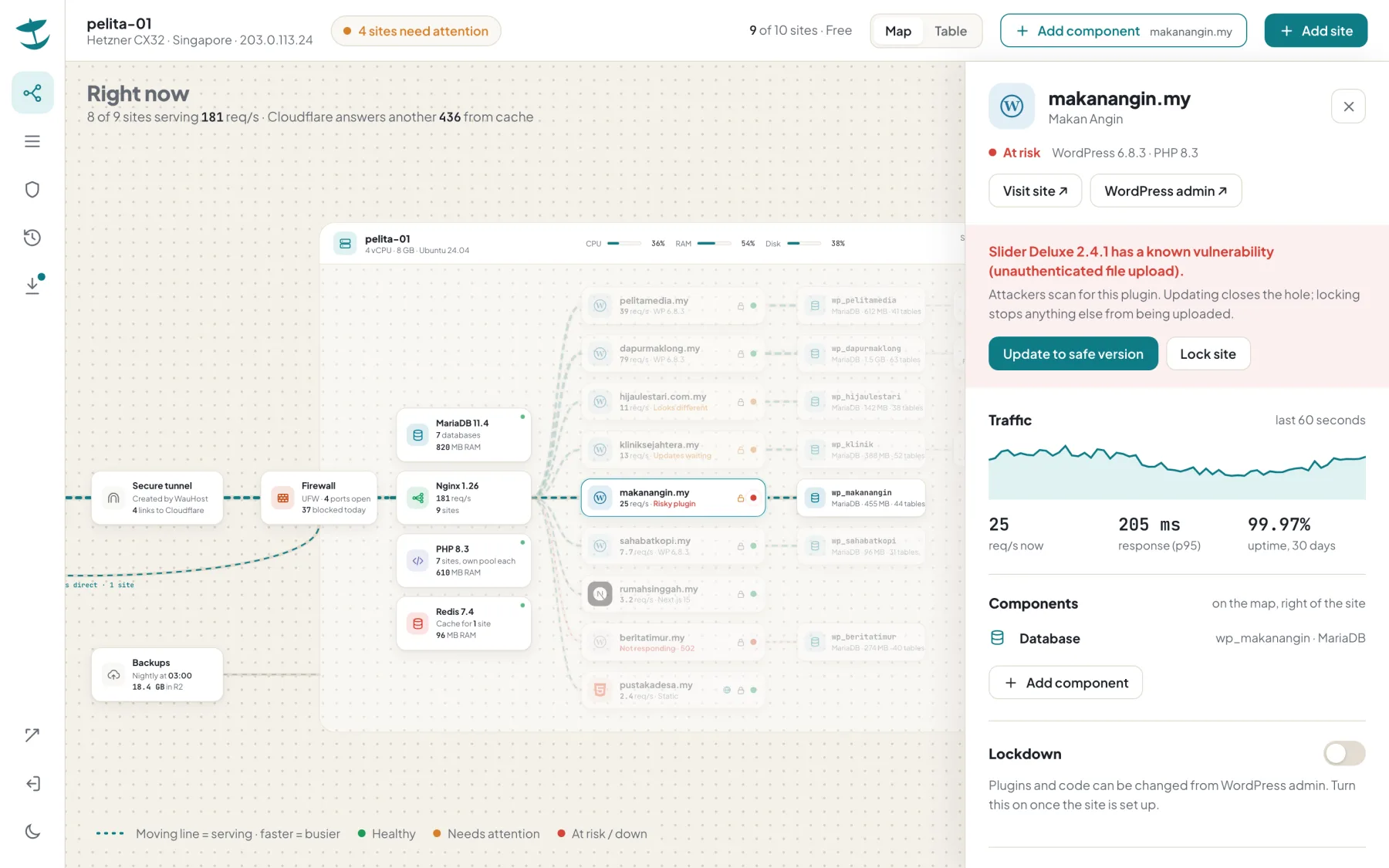
It warns you before hackers find the gap.

Most hacked websites are hacked through an old plugin. WauHost checks for them every night.

  • Every plugin checked against known problems, every night
  • One button updates the risky one
  • Lock a finished website so nothing new can be planted on it
A website flagged for a risky plugin, with Update and Lock buttons

Updates

Every update backs up first.

Updates are where websites usually break. Here is what WauHost does each time:

  1. Back upfiles and database saved first
  2. UpdateWordPress, plugins, theme
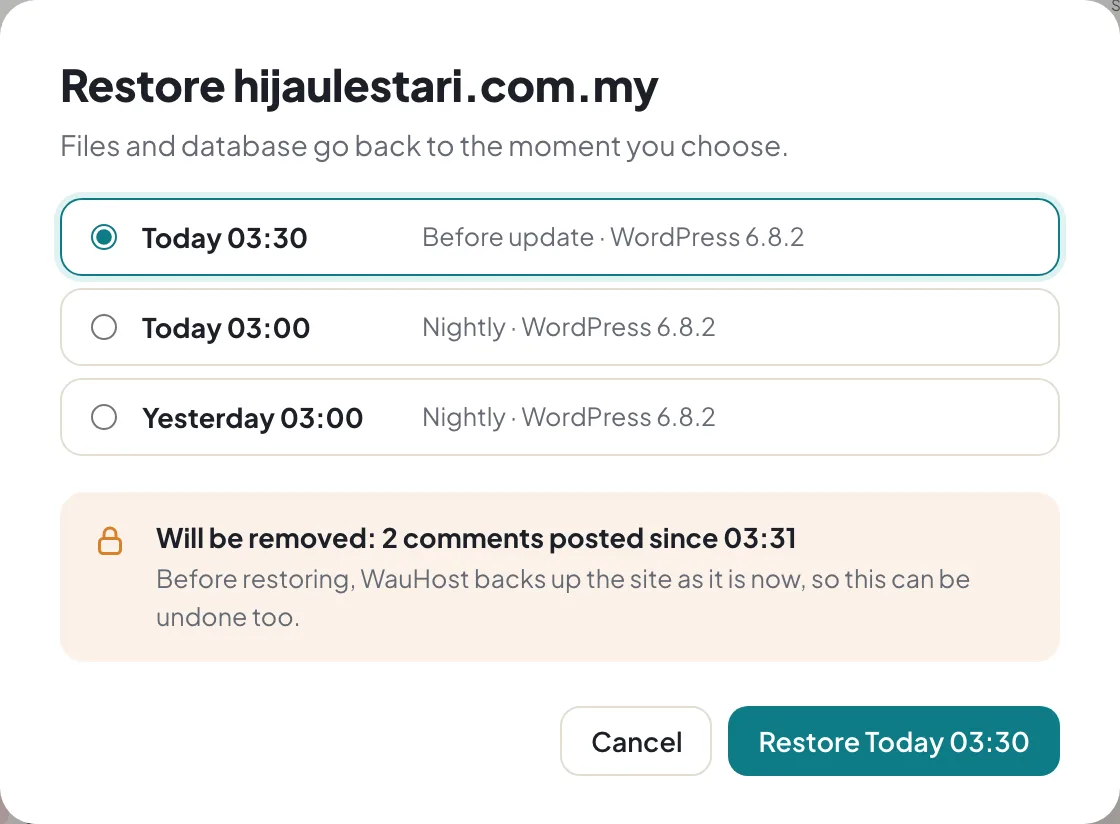
  3. Comparedoes the homepage still look right?
Looks the same All done. Nothing for you to do.
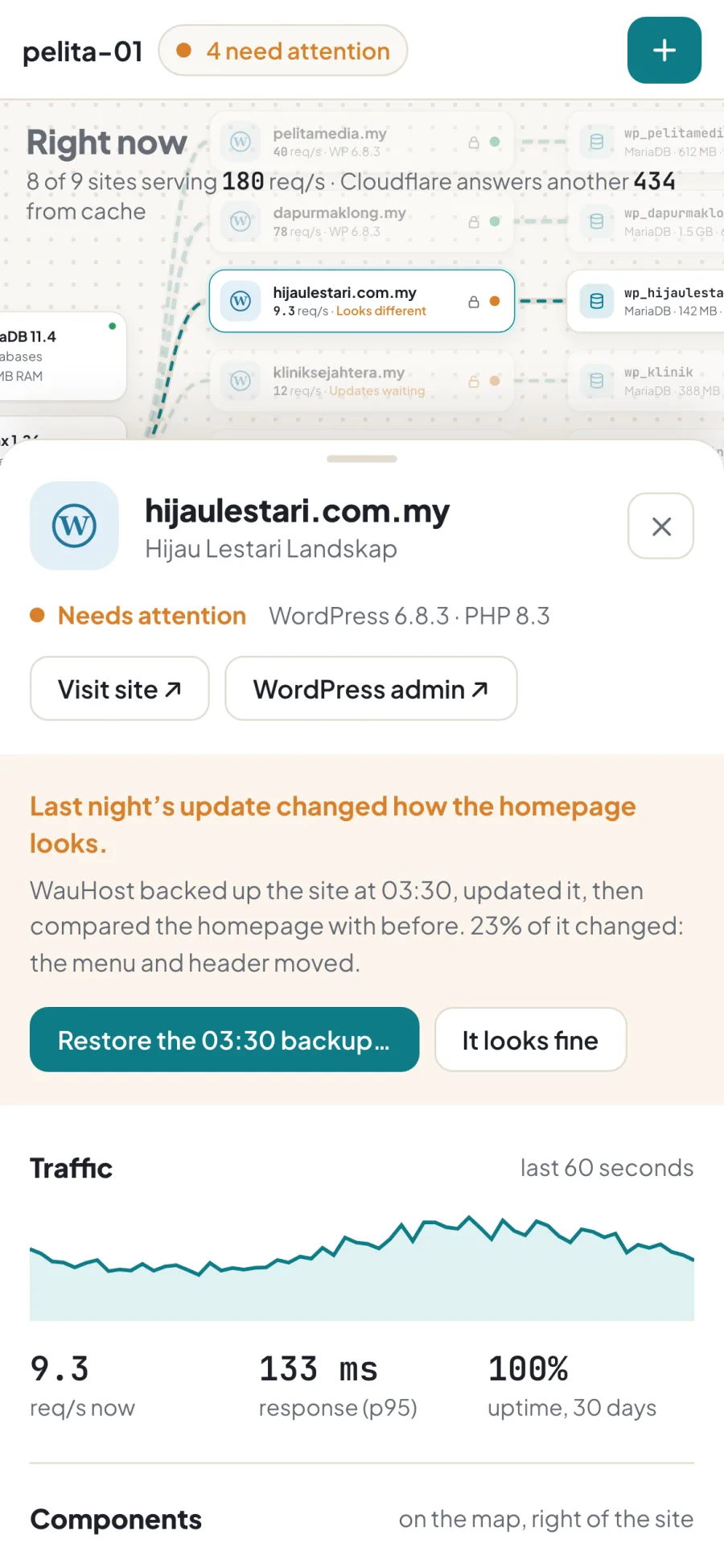
Looks different You’re told, with a one-click Restore.
The Restore popup: pick a backup and see exactly what will be undone

Add-ons

Add what a website needs, in one click.

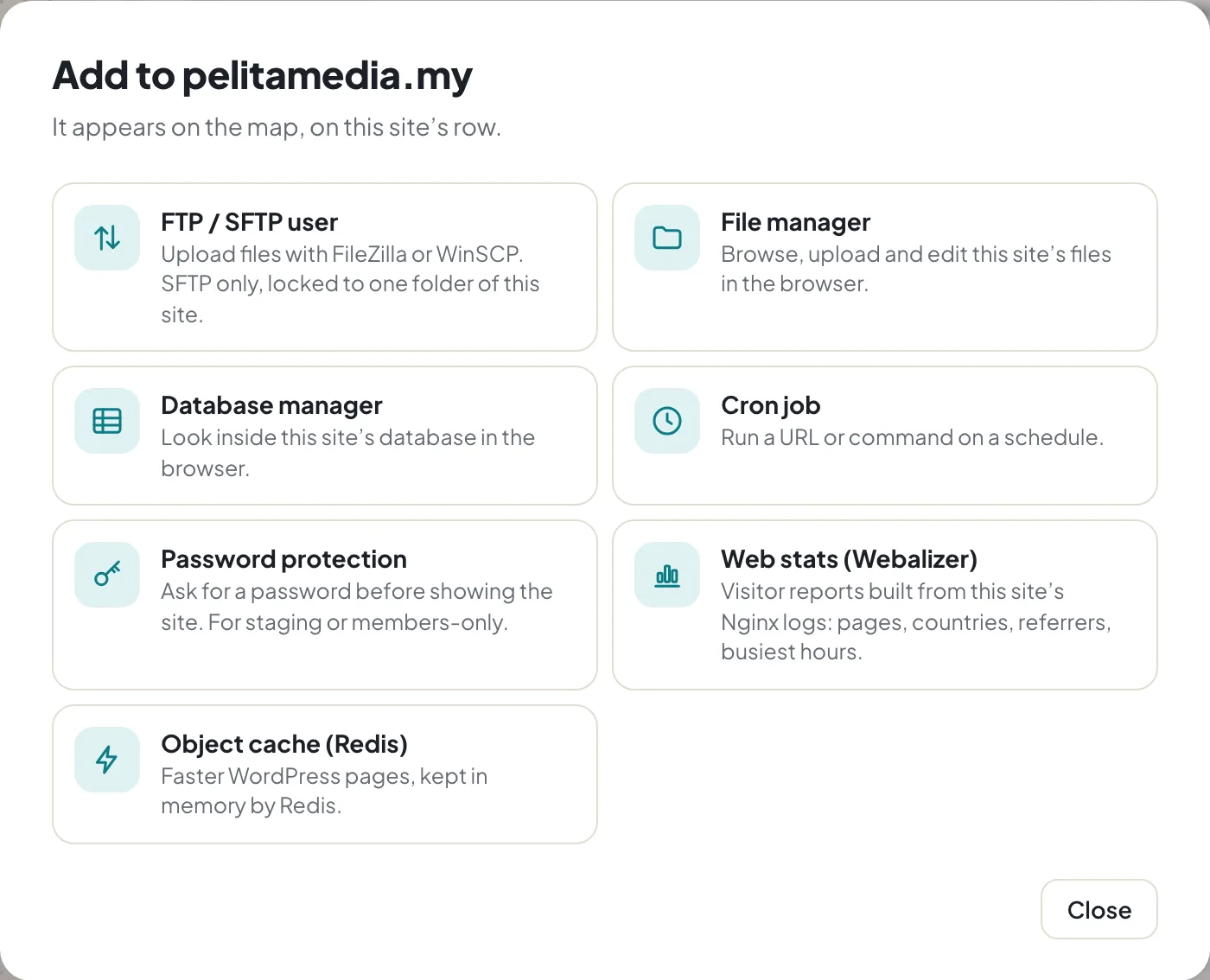
Click a website, press Add, pick from the list. Each add-on appears on the map.

  • File upload access for your designer
  • Scheduled tasks, like nightly reports
  • Password-protect a page or a whole site
  • A cache to make busy websites faster
The Add picker for a website

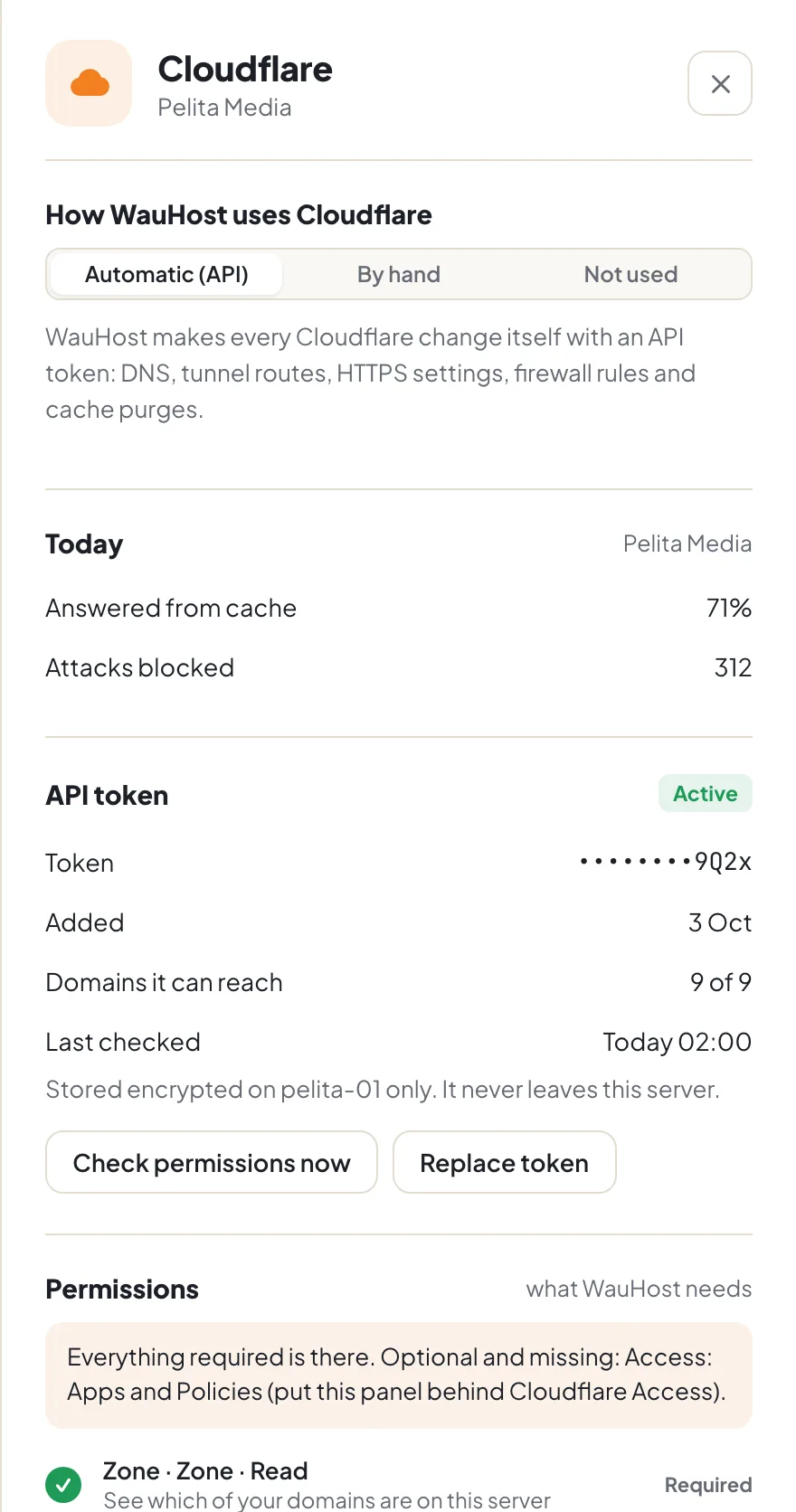
Cloudflare

Works with Cloudflare, or without it.

Cloudflare is a free service that shields and speeds up websites. Use it however suits you.

  • Connect it once and WauHost sets everything up
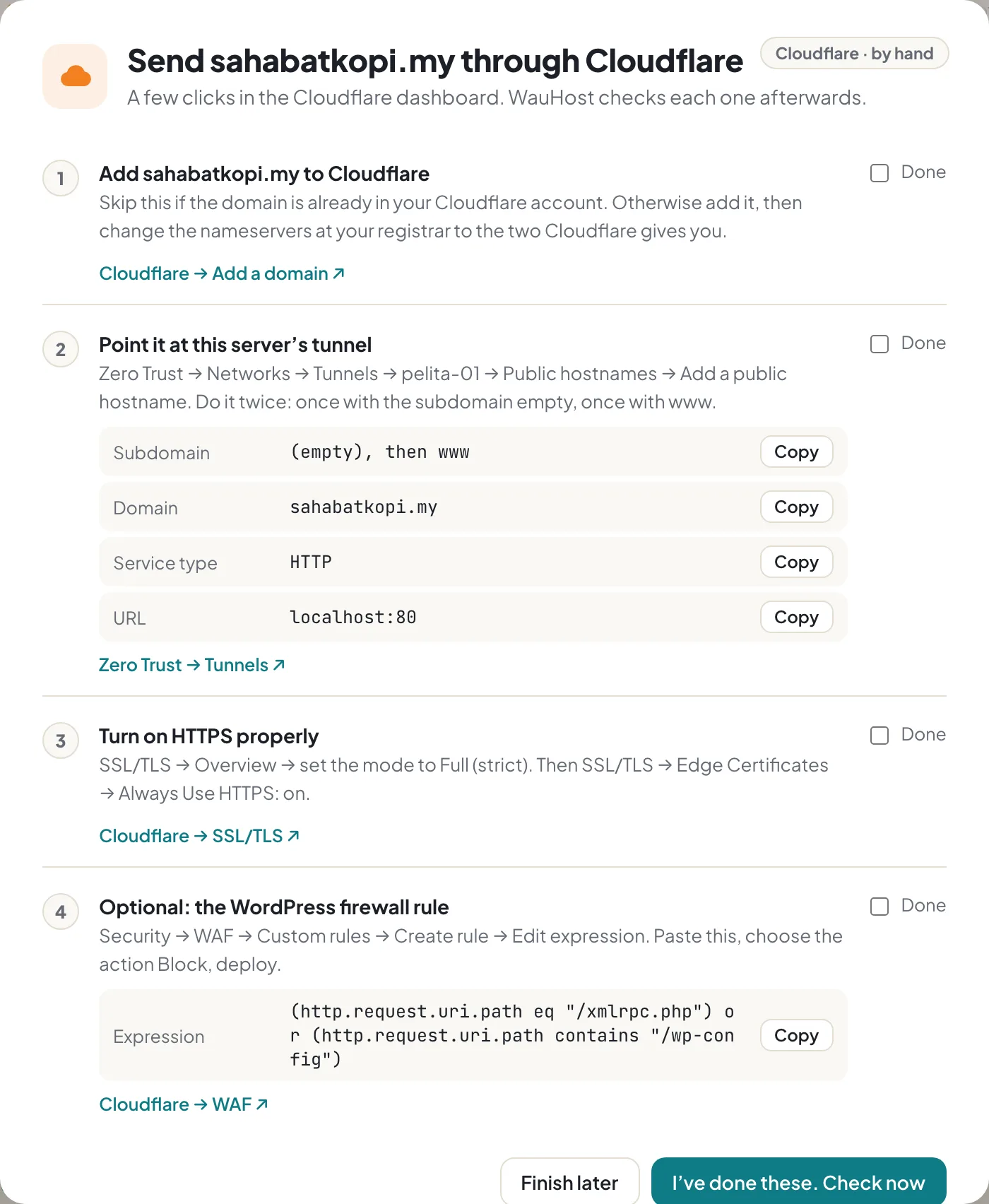
  • Rather do it yourself? Step-by-step guides with Copy buttons, then WauHost checks your work
  • No Cloudflare? Your websites still get the padlock (HTTPS)
Cloudflare panel with the three ways to use it
A step-by-step guide with Copy buttons

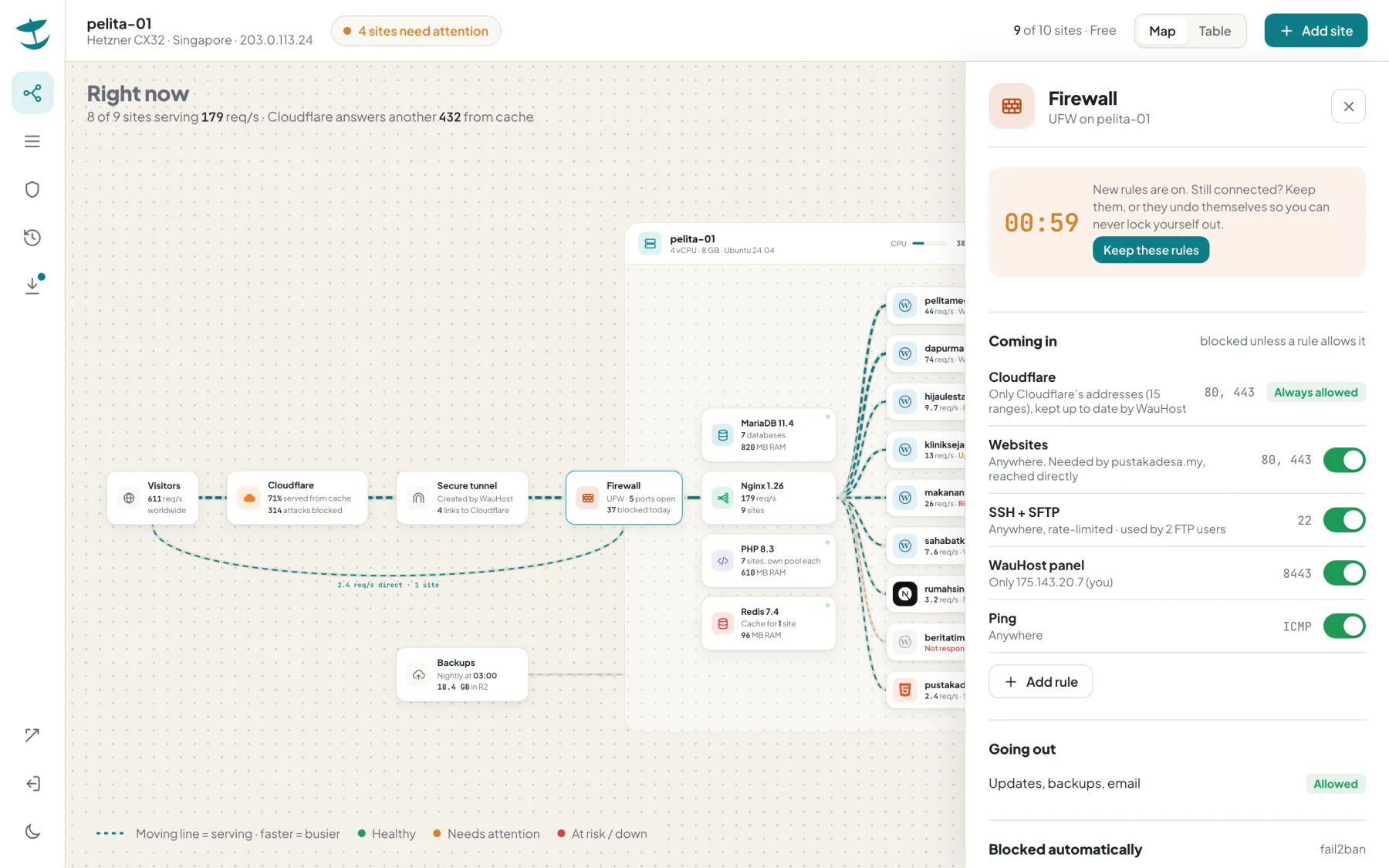
Firewall

Safety settings you can’t lock yourself out of.

The firewall decides who can reach your server. WauHost makes it hard to get wrong.

  • Rules written in plain words
  • Every change undoes itself after 60 seconds unless you confirm, like changing a screen resolution
  • Repeated wrong passwords get blocked automatically
Firewall rules with the 60-second confirm countdown

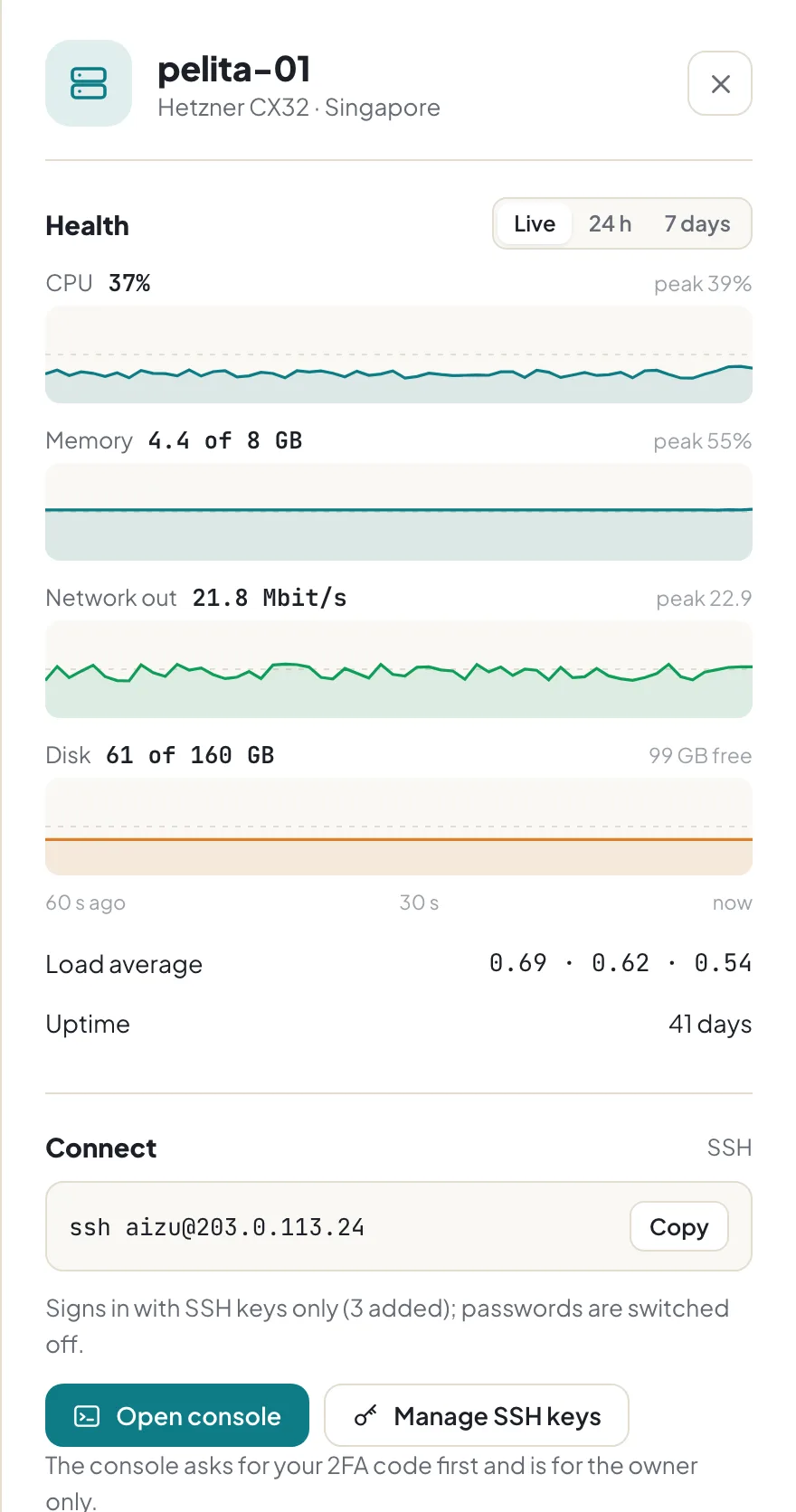
Your server

Your server’s health, any time.

See at a glance whether the server is coping, today or over the last week.

  • Memory, storage and visitors in simple graphs
  • Today or the last week, one tap apart
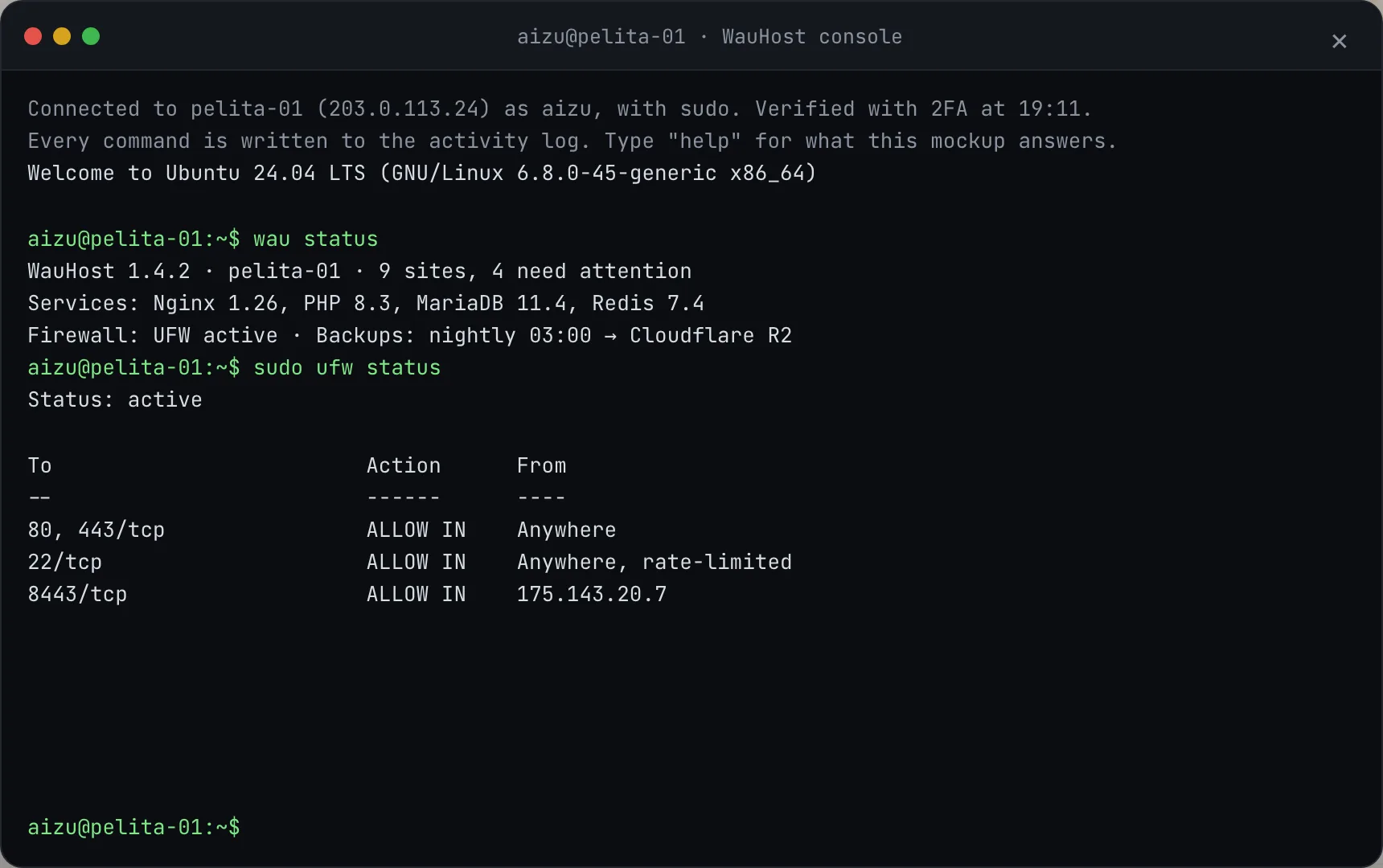
  • For experts: a command line, opened only with a fresh 2FA code and recorded
Server panel with health graphs
The protected command line

On your phone

A site goes red at dinner? Check it from the table.

The same map and buttons, sized for your phone.

WauHost map on a phone
A website's panel on a phone

How it works

Up and running in three steps.

  1. 1. Rent a small serverfrom any provider you like
  2. 2. Paste one lineor ask your tech person to
  3. 3. Open the linkmake your account and add your websites

Peace of mind, built in

  • Your websites keep running even if WauHost is switched off
  • We can’t get into your server. No remote access, no support logins
  • If a WauHost update goes wrong, it undoes itself
  • Each website is walled off from the others, so one problem stays in one place
For your tech person
$ curl -fsSL https://get.wauhost.com | sudo bash
The installer opens with early access.
  • Runs on Ubuntu 24.04 or Debian 12: any VPS, bare metal or Proxmox VM, 2 GB RAM or more.
  • Serves WordPress, static sites and Next.js apps with Nginx, PHP-FPM and MariaDB. Each site has its own Linux user, PHP pool and database user.
  • Privilege split A small root helper runs a fixed list of commands; the web panel never runs as root.
  • Panel access Off the public internet unless you put it behind Cloudflare Access or Tailscale. 2FA at sign-in and again for the console.
  • Updates Signed. A new version starts beside the old one and takes over only after its health check passes.
  • Scanning Nightly plugin checks against a vulnerability feed, WordPress core checksums, read-only lockdown.
  • Cloudflare API token, guided manual setup with verification, or direct with Let’s Encrypt. Tunnel mode needs no open web ports.
  • Source Closed. Security reviewers can see the code on request, under NDA.

Pricing

Free.

  • Up to 10 websites per server
  • Every feature and every update included
  • Need more on one server? Ask us

The limit keeps WauHost free for the people it’s made for, and keeps it from being used to resell hosting.

The 11th website asks you to contact us

Questions

What is WauHost?

WauHost is a virtual hosting control panel: software you install on your own server so it can run many websites side by side, each kept separate from the others. From one screen you add websites, keep them updated and backed up, and see how each one is doing. It installs on your server, not ours, and it’s free for up to 10 websites per server.

How is WauHost different from cPanel and Plesk?

cPanel and Plesk are mature panels built for hosting companies and system administrators, sold as paid licences. WauHost is made for the people who own the websites:

It does less on purpose. There’s no email hosting and no reselling.

Who is it for?

Small businesses, news publishers, advertising and web agencies, bloggers, and NGOs: anyone with a handful of WordPress websites and no full-time IT person. Agencies can run one WauHost on each client’s server. It isn’t for hosting companies reselling space.

What do I need to start?

A small server from any provider and about ten minutes. If you have a tech person, the details are under For your tech person.

Does it do email?

No. Keep your mailboxes with Google Workspace, Microsoft 365 or Zoho. WauHost makes sure your websites’ contact forms can still send mail.

Do I need Cloudflare?

No. Cloudflare is free and adds a shield and speed, and WauHost can set it up for you. Without it, your websites still get the padlock (HTTPS).

Is it open source?

No. WauHost has deep access to your server, so we keep the code closed and put our effort into careful design. Security reviewers can see the code on request.

What if WauHost stops one day?

Your websites keep running without it. If we ever stop, you get six months’ notice and a guide to move.

Click around the real thing.